Weekly Summary of all Servers (Gross)
Monitoring team performance is essential to identify potential issues or fraudulent activity at the point of sale. This report tracks corrections, no sales, and re-opened accounts, helping you spot irregularities and address concerns with individual team members quickly.
If you prefer to view sales net the same report exists in net format.
Weekly Summary of all Servers (Gross) Topics
Opening the Report
Follow these steps to open the report:
-
Select the Section
If you are operating a Site Master or Site installation of Aztec this will be automatically populated as your own site location -
Select the required Layout (optional)
-
Choose the required Date Option
-
Date Range
-
Day
-
Weeks
-
Period
-
Year
-
No. of Weeks
-
-
Click View Report
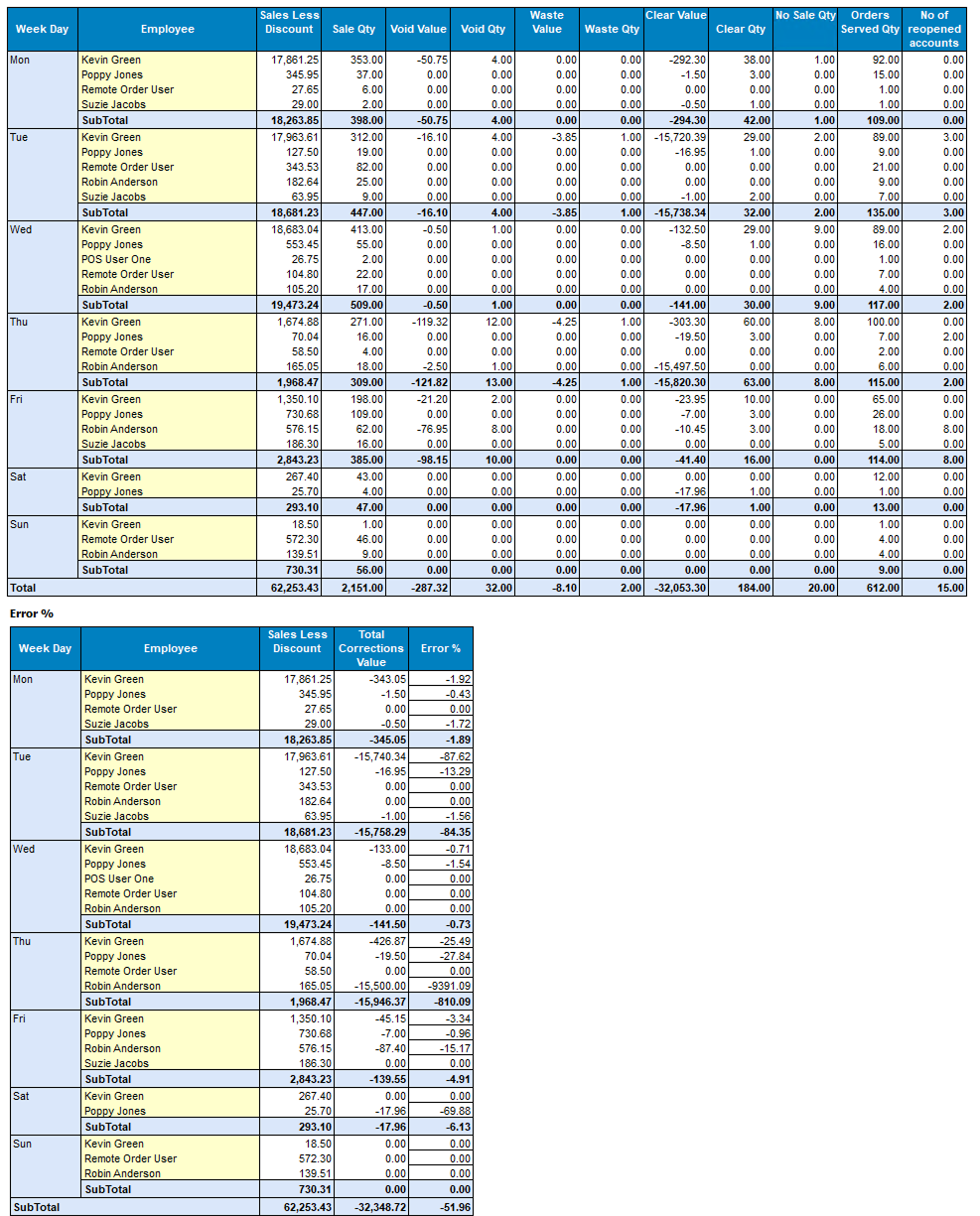
Layout - Weekly Summary of all Servers
This layout displays by week day and employee the sales and corrections values along with a separate table of error percentage values against sales.
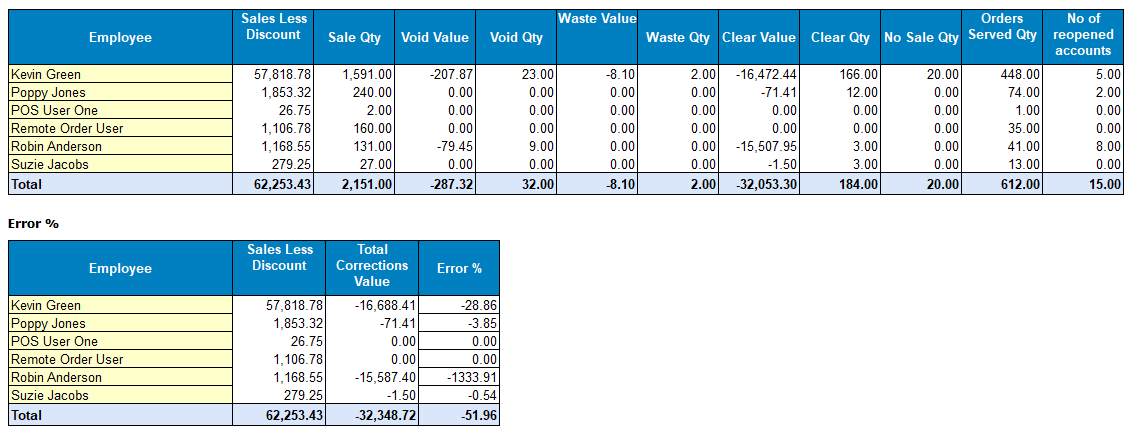
Layout - Total of all Servers
This layout contains the same information as the weekly summary layout but consolidates based on the date range chosen all values as a total.