Discounts Report
The Discount report tracks all discounts applied in your business, including those manually activated by employees and those automatically triggered through voucher code redemptions. Use the drill down functionality to access account details and audit information for further investigation.
Discounts Report Topics
Opening the Report
Follow these steps to open the report:
-
Select the Section
If you are operating a Site Master or Site installation of Aztec this will be automatically populated as your own site location -
Select the required Layout (optional)
-
Choose the required Date Option
-
Date Range
-
Day
-
Weeks
-
Period
-
Year
-
No. of Weeks
-
-
Click View Report
Layout - Summary
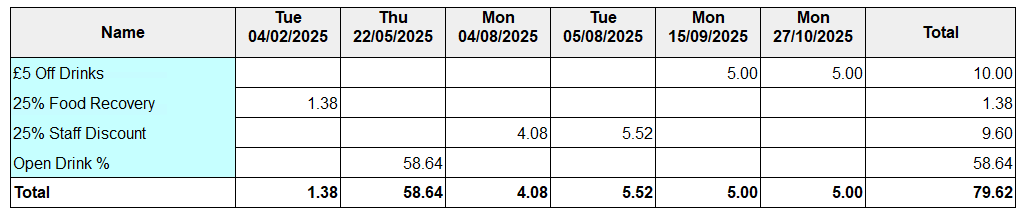
This layout provides a summary by day view of each discount and value that has been given.
Layout - Detail
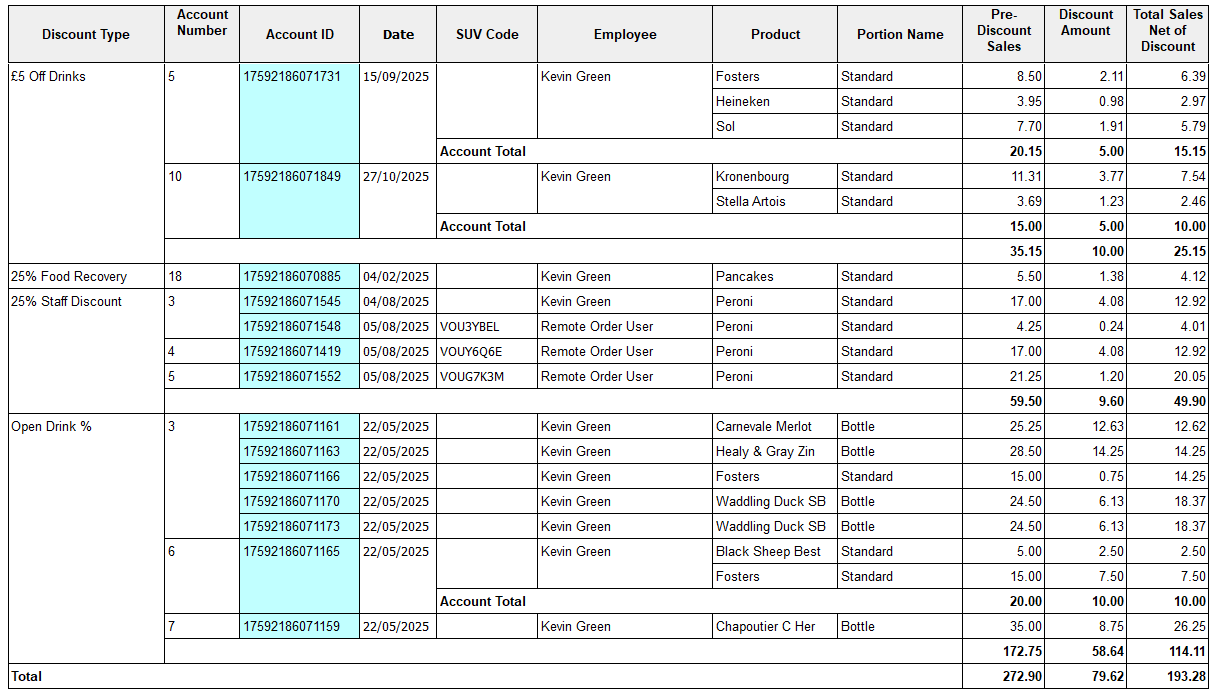
This layout shows per discount each product that has been discounted along with account details, employee who performed the discount and single use voucher codes that corresponded to the discount.
Layout - Discount Summary
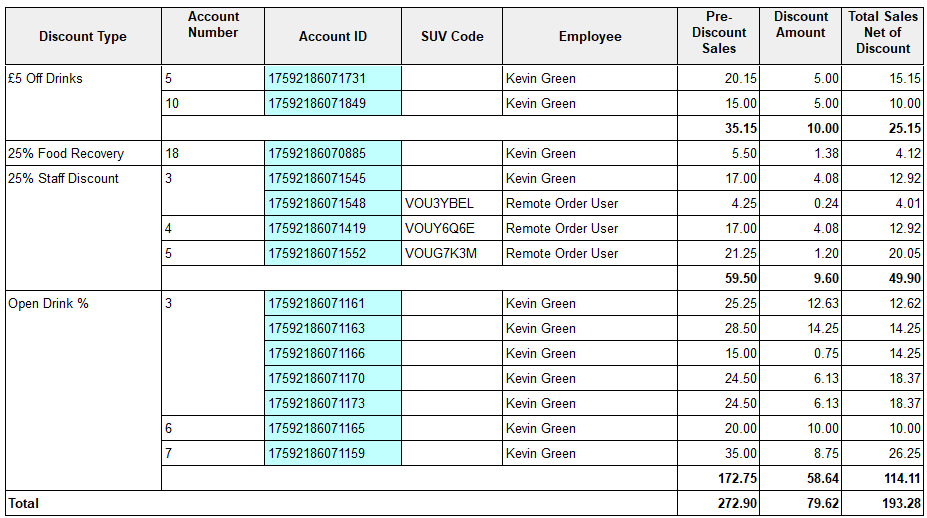
This layout shows per discount and account the total value discounted along with account details and employee who performed the discounts and single use voucher codes that correspond to the discount.