Detailed Corrections Report
Understanding the detail behind each correction is essential to ensure items are handled correctly and to maintain accurate stock levels. This report provides visibility into which products and payments are being corrected by your onsite teams, helping you identify training needs and process improvements.
Detailed Corrections Report Topics
Opening the Report
Follow these steps to open the report:
-
Select the Section
If you are operating a Site Master or Site installation of Aztec this will be automatically populated as your own site location -
Select the required Layout (optional)
-
Choose the required Date Option
-
Date Range
-
Day
-
Weeks
-
Period
-
Year
-
No. of Weeks
-
-
Click View Report
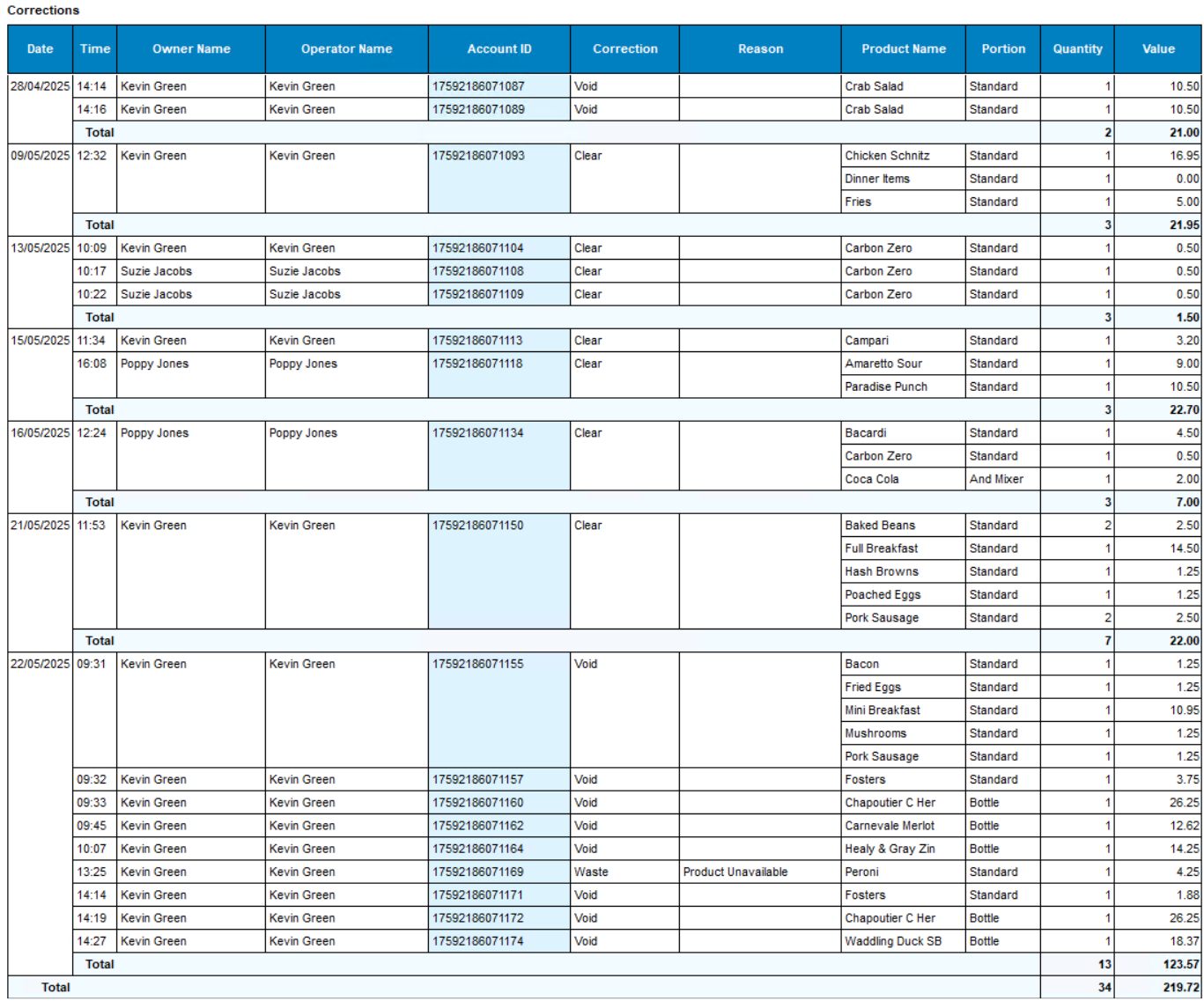
Layout - Sales Corrections
This layout displays by account any product corrections performed along with the employee, correction type and reason.
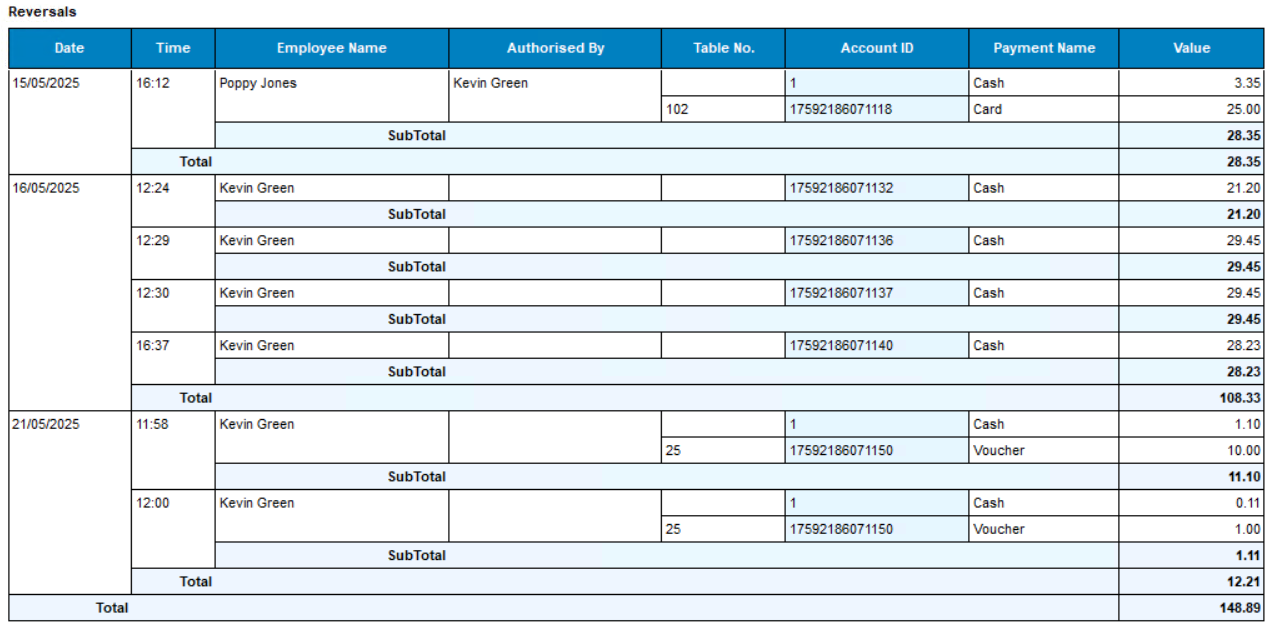
Layout - Payment Corrections
This layout displays by account any payment corrections performed along with the employee and related table number.
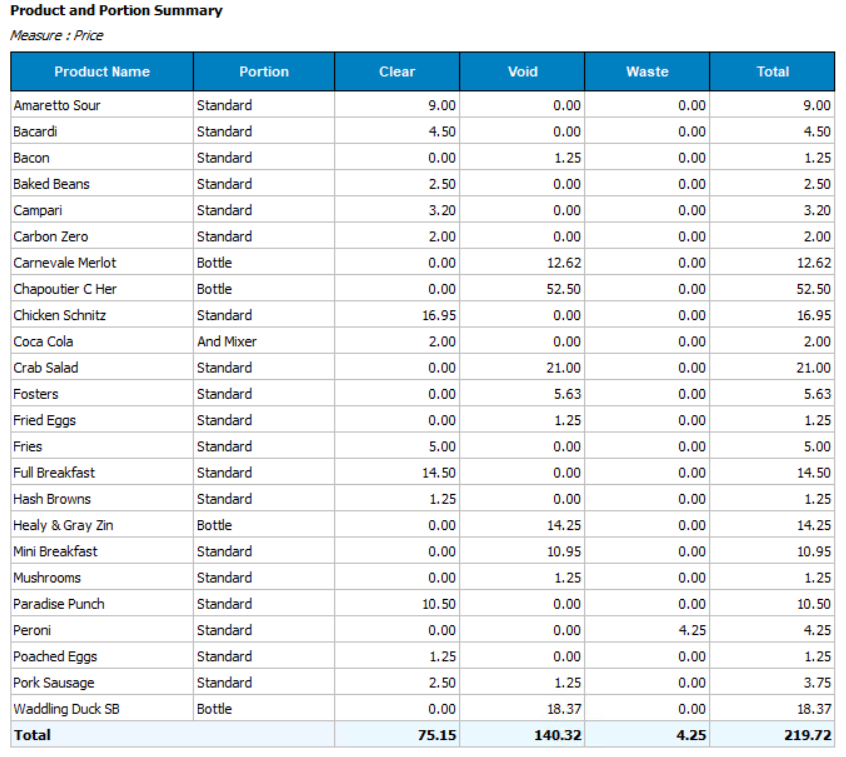
Layout - Summary Portion Corrections
This layout displays all products corrected over selected date range and the correction type used.
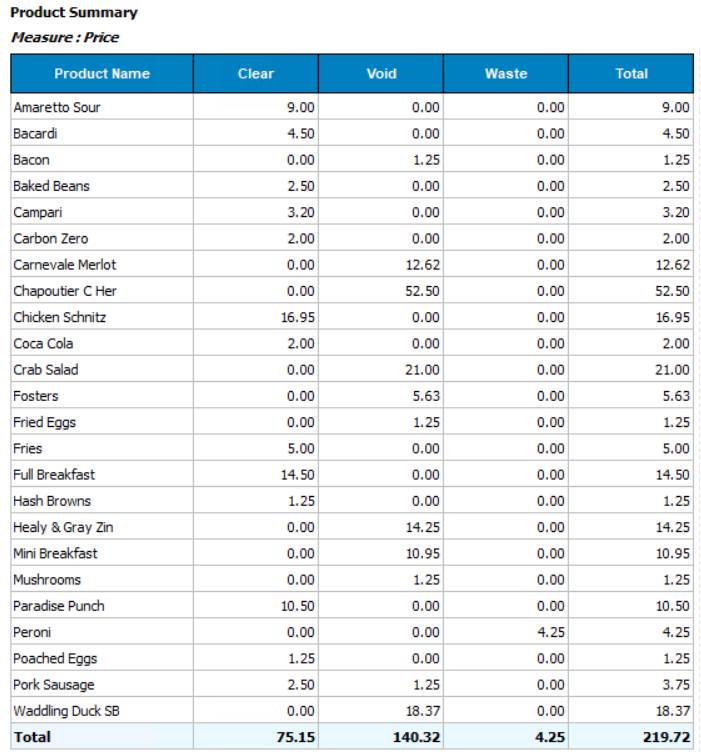
Layout - Summary Product Corrections
This layout is similar to the summary portion corrections but products are consolidated as totals for all portions.