Audit Transaction Report
This report provides a complete audit trail of every order processed through your POS terminals, showing exactly who performed each action and when. Track the full lifecycle of each transaction from the moment an account opens to when it closes helping you identify patterns, resolve disputes, and maintain operational accountability.
Audit Transaction Report Topics
Opening the Report
Follow these steps to open the report:
-
Select the Section
If you are operating a Site Master or Site installation of Aztec this will be automatically populated as your own site location -
Select the required Layout (optional)
-
Choose the required Date
This report is designed to only be viewed by day -
Click View Report
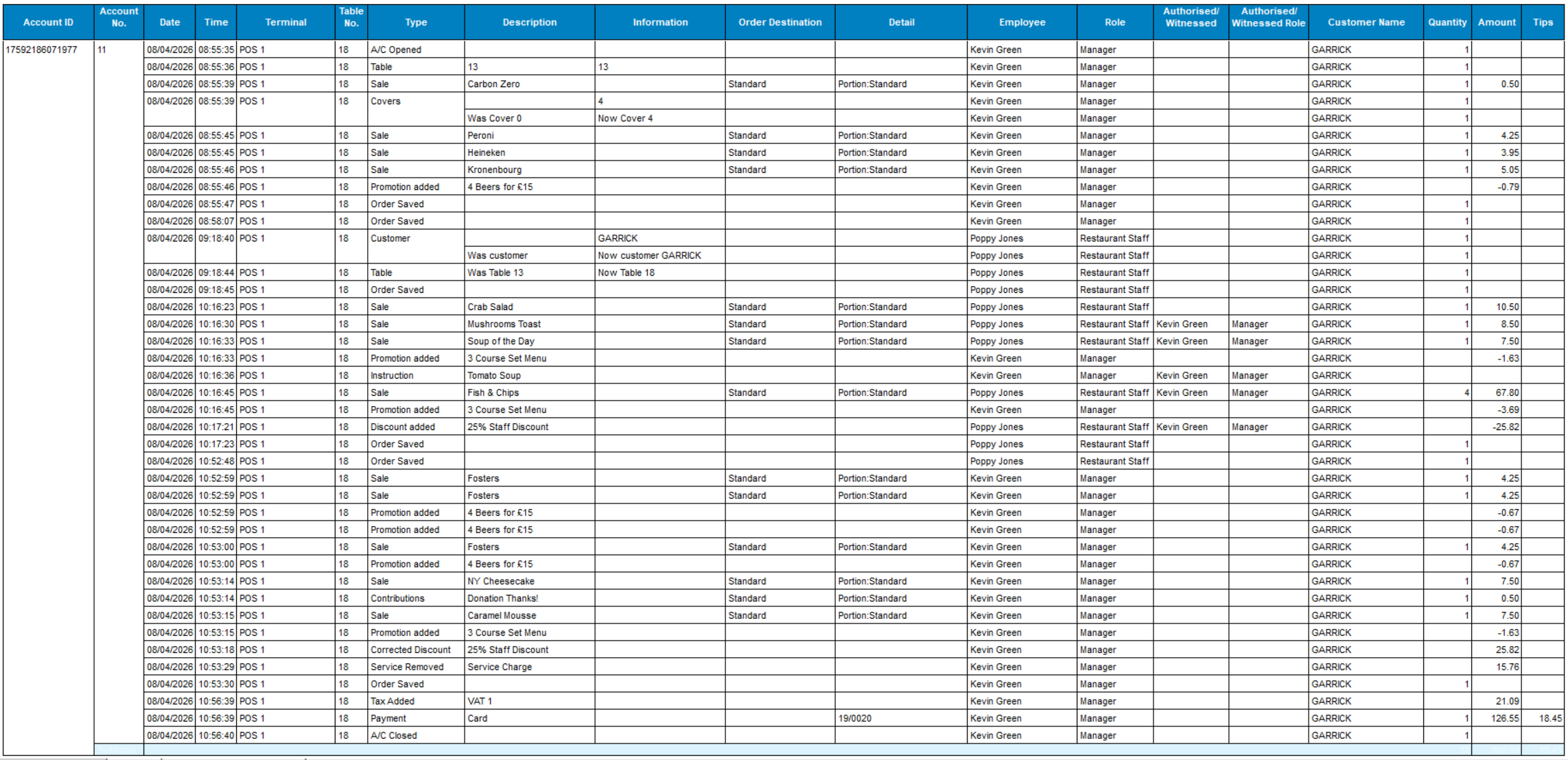
Layout - Audit Transactions by Account
This layout will display for each account a full audit of all activity by time and the employee that completed each action.
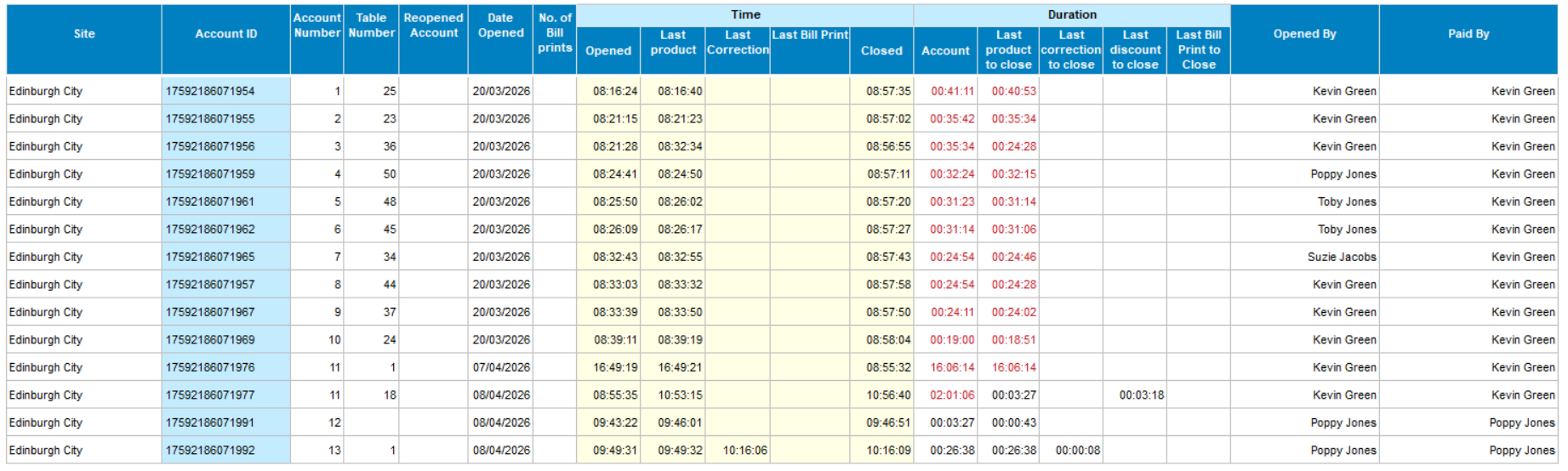
Layout -Table Audit
This layout will display for each account time and duration information along with related activity information.
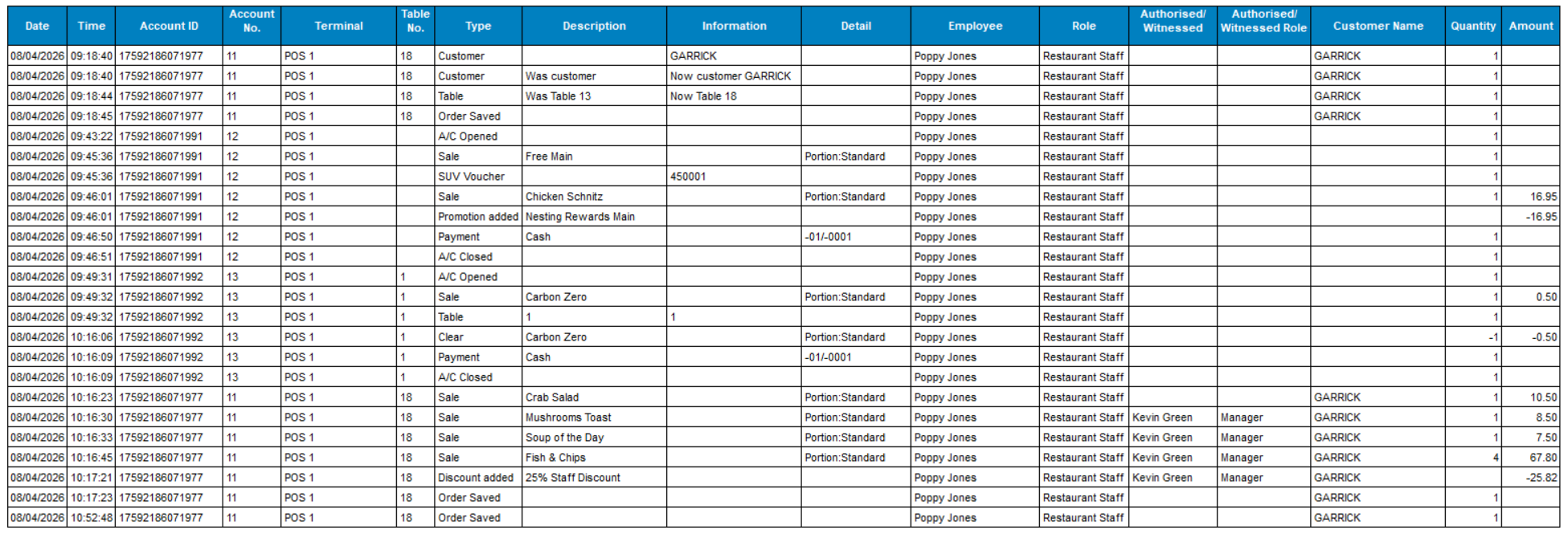
Layout - Audit Transactions by Date / Time
This layout contains similar information to the 'By Account' version but is displayed for all accounts in a date time order, this can be especially useful for tracking all activities for an employee across multiple accounts during a session.