Promotions Report
Understanding the effectiveness of your promotions and discounting strategy is essential. The Promotions report provides the detailed insights you need to analyse promotion performance and measure their impact on your business.
Promotions Report Topics
Opening the Report
Follow these steps to open the report:
-
Select the Section
If you are operating a Site Master or Site installation of Aztec this will be automatically populated as your own site location -
Select the required Layout (optional)
-
Choose the required Date Option
-
Date Range
-
Day
-
Weeks
-
Period
-
Year
-
No. of Weeks
-
-
Click View Report
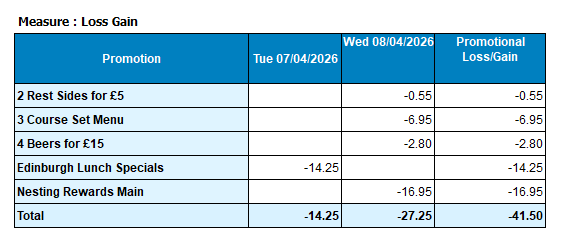
Layout - Promotions By Day
This layout provides a summary by day view of each promotion that has been activated along with any promotional loss or gain.
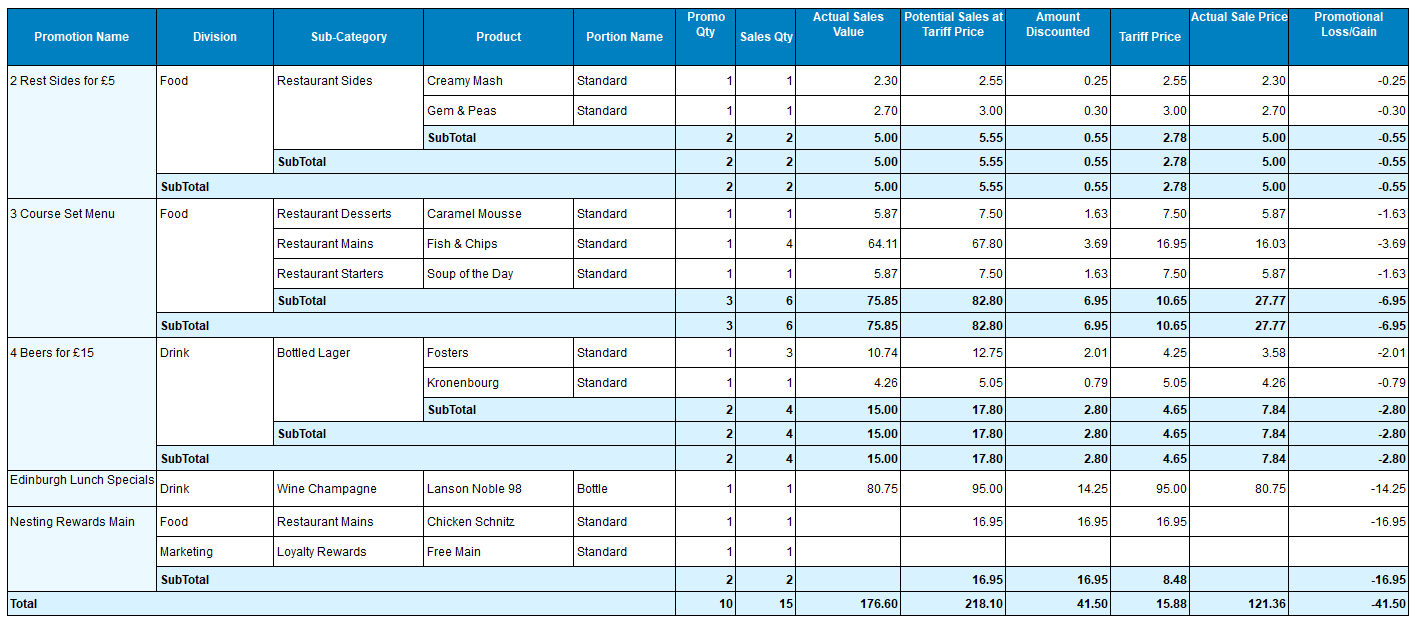
Layout - Summary
This layout shows per promotion each product that has been values with loss / gain against them.
Layout - Detail
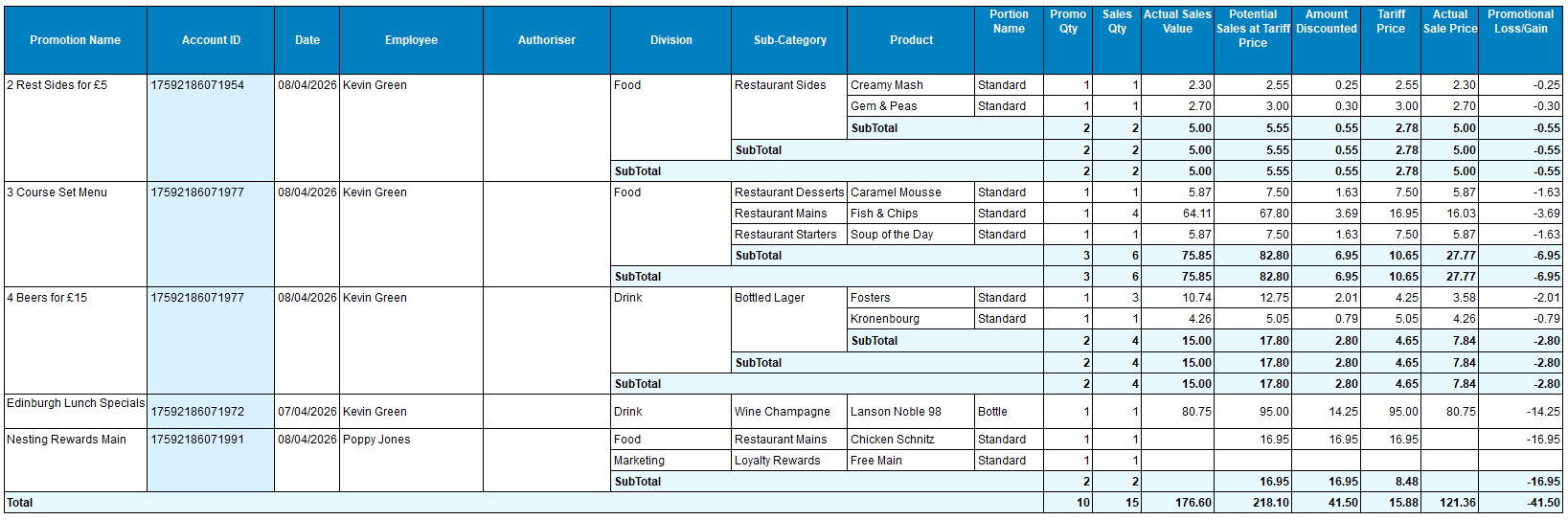
This layout displays the additional details including the point of sale operator who triggered the promotion.