Product Sales Report
Track which products drive revenue across your estate. This report shows sales volume and value by product, helping you identify top performers, phase out under performers, and spot opportunities to expand your range.
Product Sales Report Topics
Opening the Report
Follow these steps to open the report:
-
Select the Section
If you are operating a Site Master or Site installation of Aztec this will be automatically populated as your own site location -
Select the required Layout (optional)
-
Choose the required Date Option
-
Date Range
-
Day
-
Weeks
-
Period
-
Year
-
No. of Weeks
-
-
Click View Report
Layout - Divisional Mix
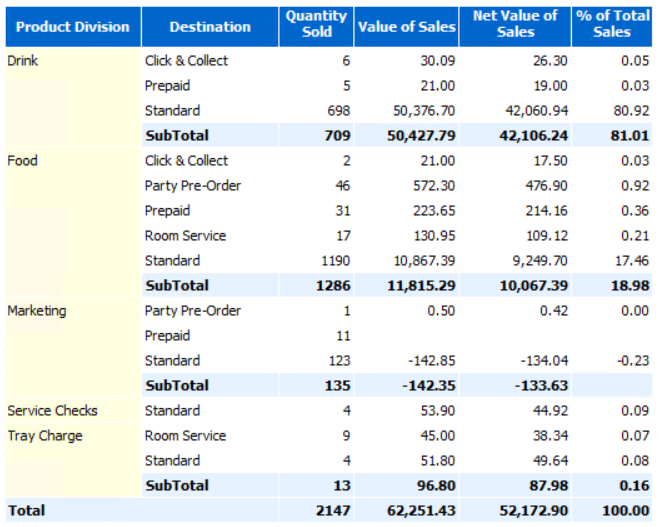
This layout will display for each division and order destination the quantity of items sold along with the value of sales.
Layout - Category Mix
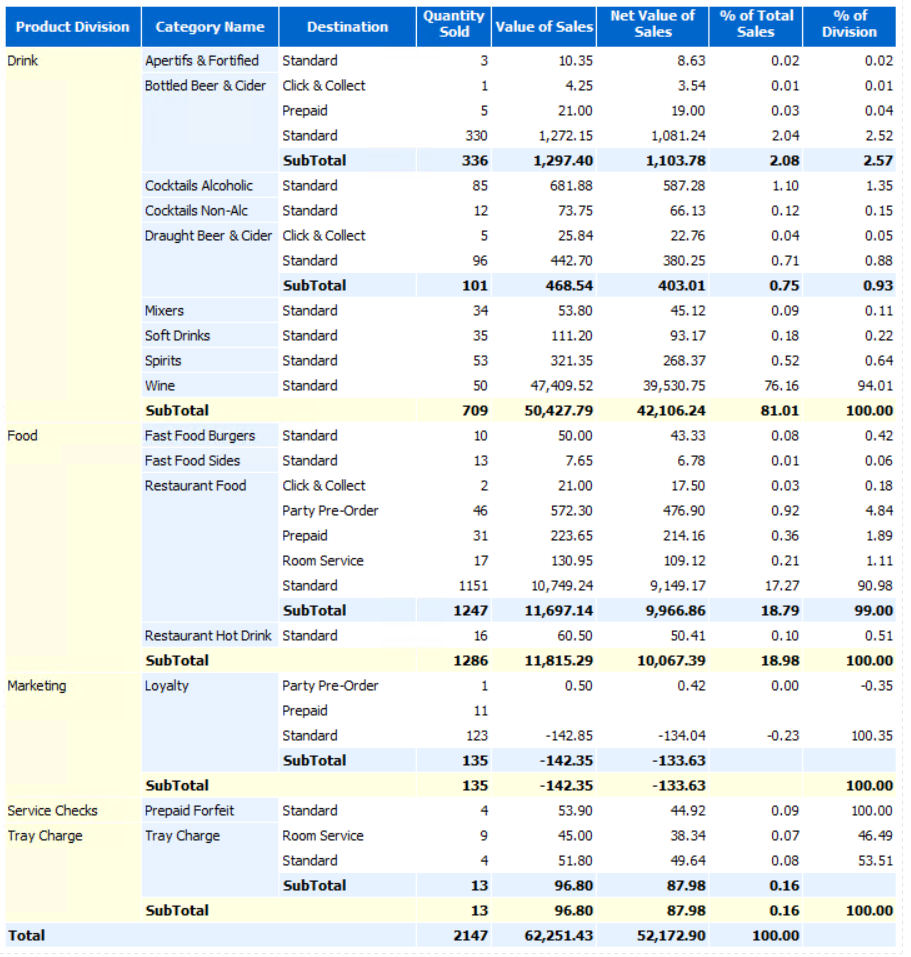
This layout will display similar information to that of the divisional mix layout but will include a breakdown by product category.
Layout - Subcategory Mix
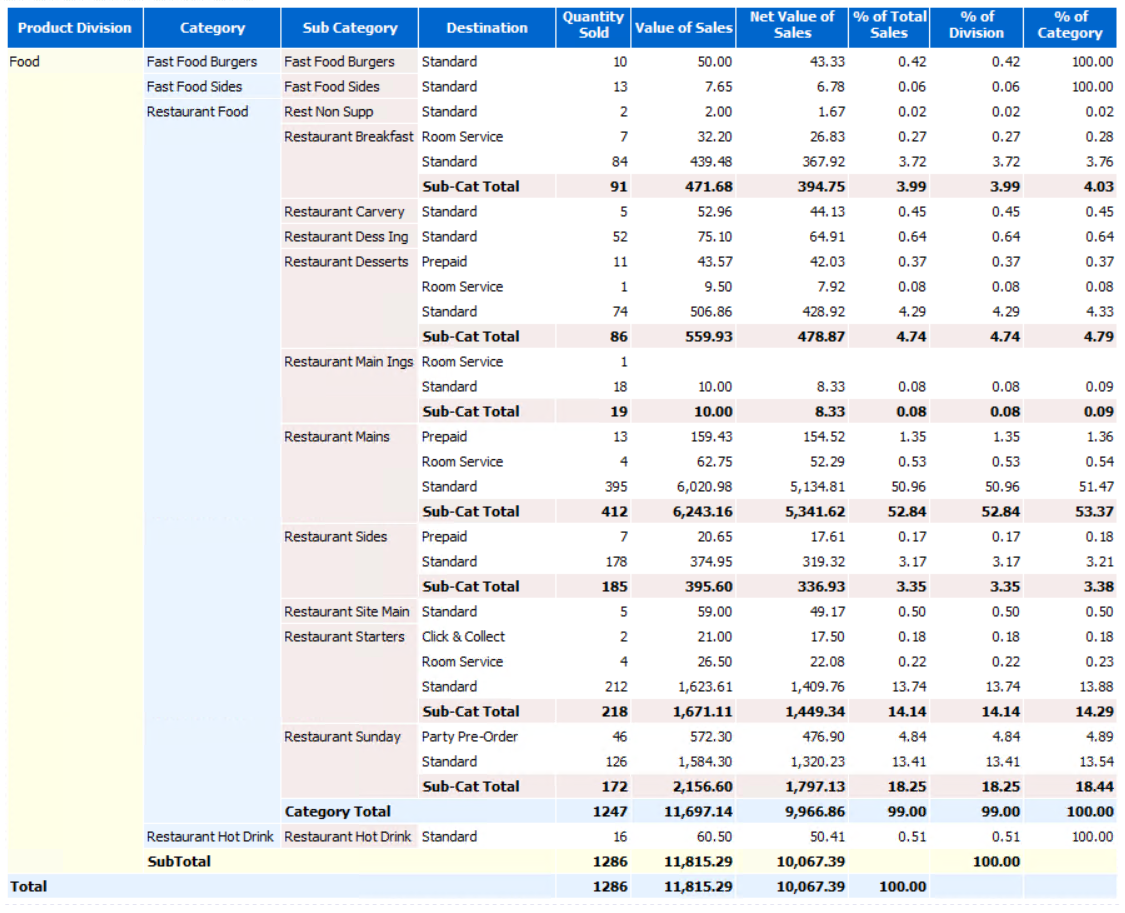
This layout will display similar information to that of the category mix layout but will include a breakdown by product subcategory.
Layout - Product Mix
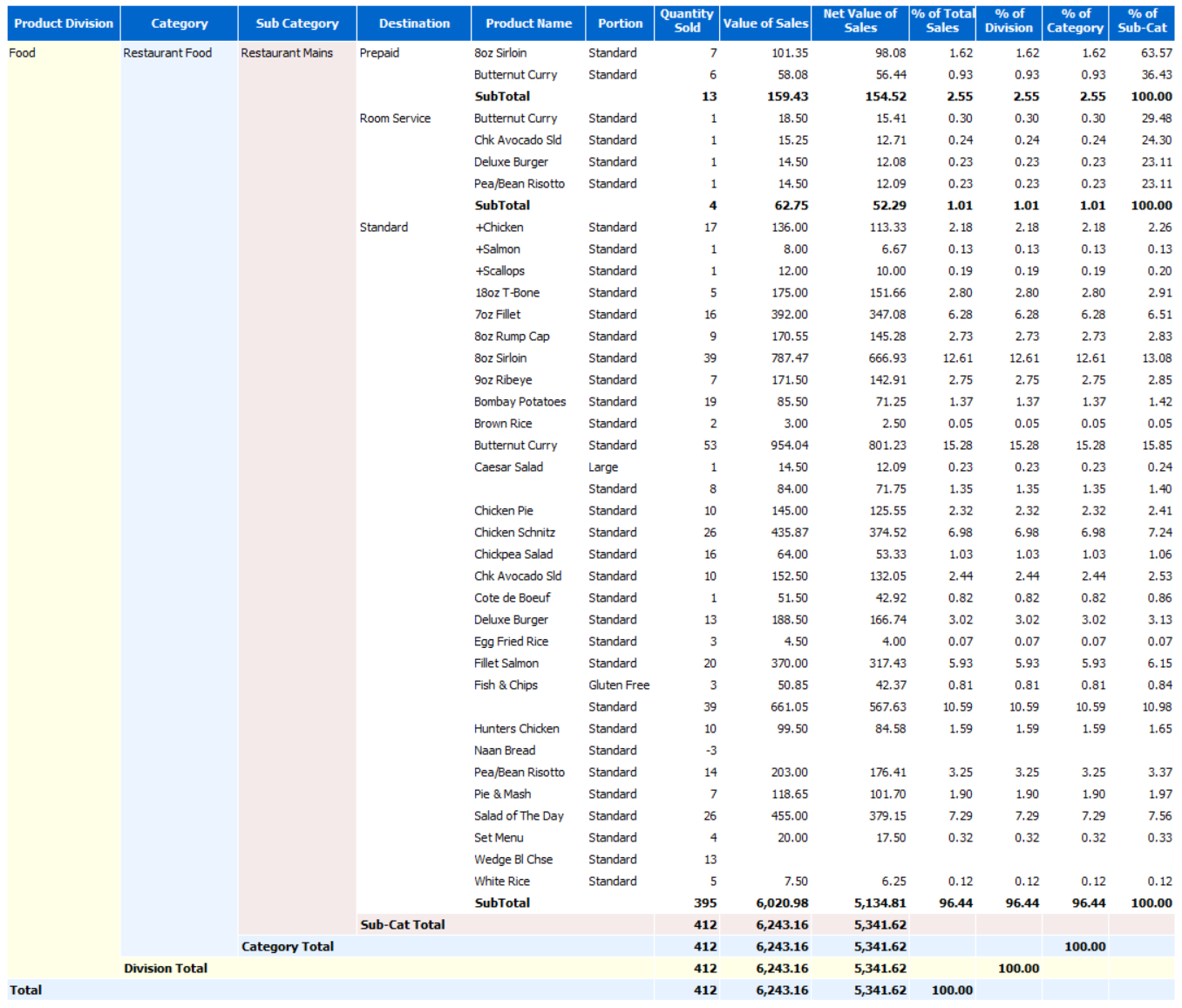
This layout will display all products sold, additionally including product and portion breakdown.