How To - Assigning Hotel Divisions to Service Charge Tax Rules
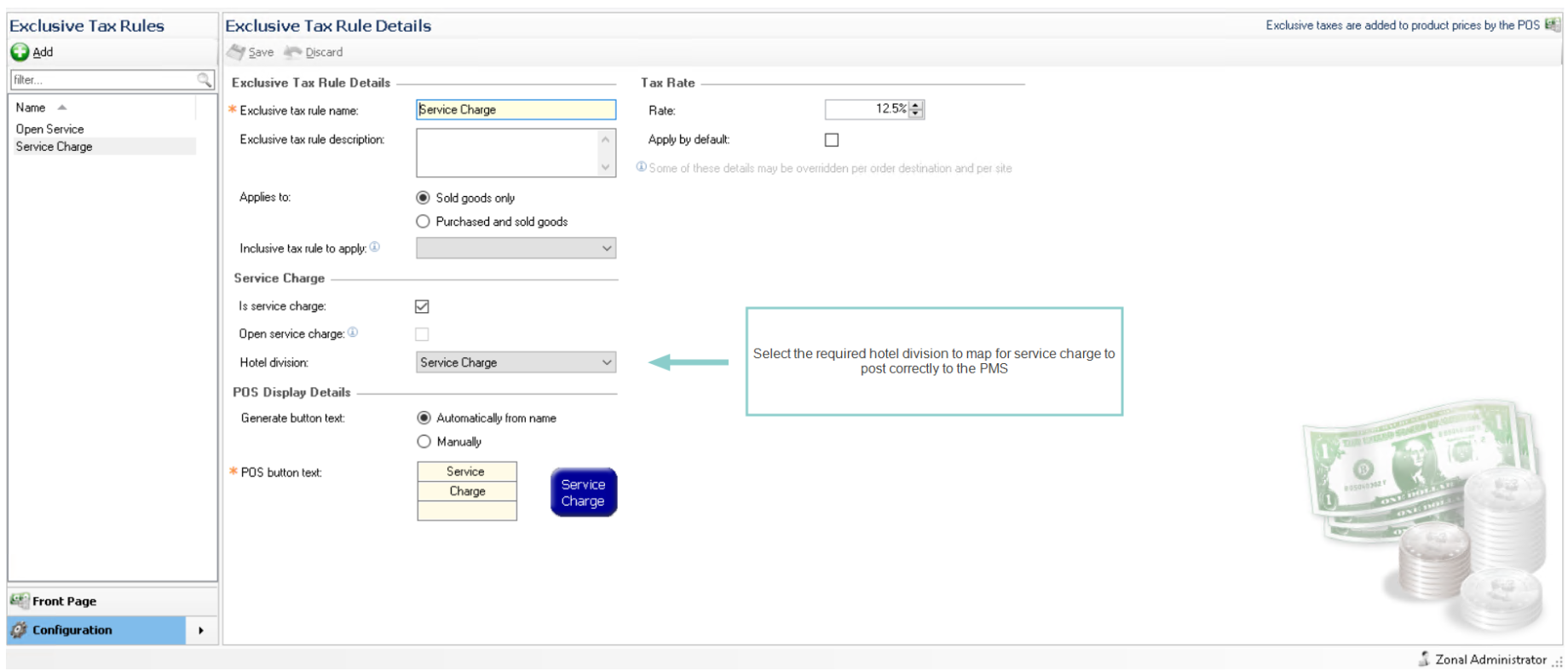
When using a Hotel Interface and when service charge is in use, a hotel division must be created and then assigned to the tax rule so that the correct account totals are sent to the PMS when any room / non-room charges are made.
To assign:
-
Select Finance from the Aztec Start Page
-
Select Configuration
-
Select Exclusive Tax Rules, and the tax rule details screen will be displayed
To be able to select a hotel division the tax rule must be "Service Charge", with either "Is Service Charge" or "Open Service Charge"
-
Click Save
Remember to assign the hotel division to all service charge tax rules setup
If the hotel division assigned to service charge is also assigned to another sub-category all sales under this sub-category will be charged to the PMS as service charge