Launchpad Estate Integrations & iOrder Gateway Configuration
Estate Integrations
For integrations to be set up between products it is necessary to carry out some configuration within Platform Services to enable end to end.
There is now a dedicated user interface to make these updates within the Launchpad application.
Step 1: Enter the ZCF details for the estate
Given that a user has opened Launchpad>Product Configuration and selected an Estate they will see the ZCF configuration section of the Estate Configuration tab.
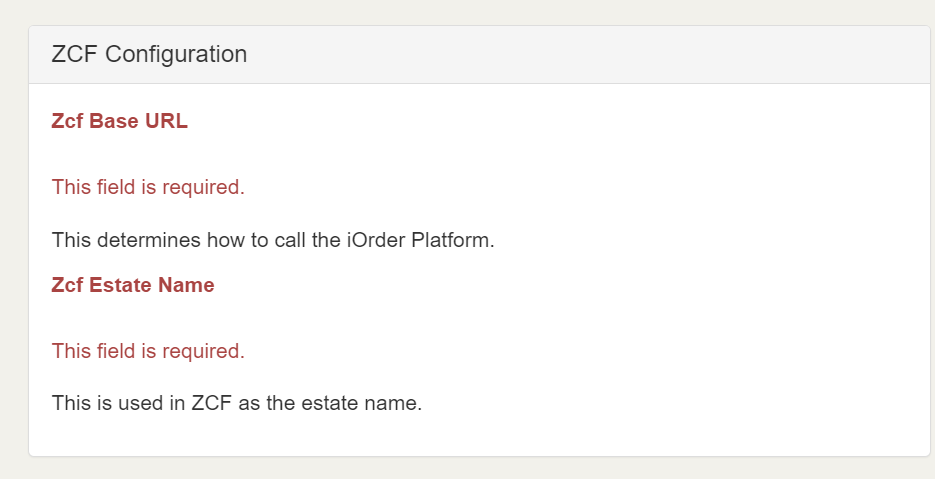
If this step is not completed any further configuration within Launchpad will not be successful. e.g. iOrder Gateway, Pre Order or Deliveroo.
iOrder Gateway
Step 2: Fill out iOrder Gateway Tab
For estates which need to utilise iOrder Gateway to process orders the iOrder Gateway tab should be filled out before moving into configure Deliveroo or Pre Order settings. Each field has a description explaining what it is for.
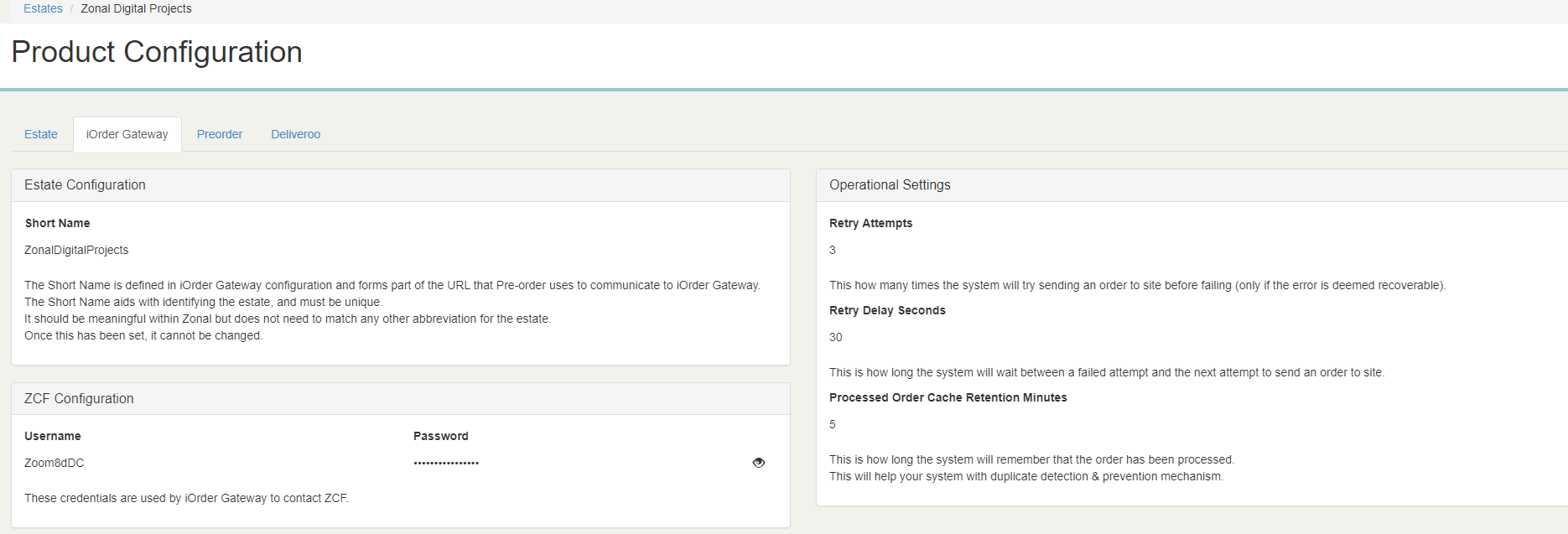
Once this is complete iOrder Gateway should be configured. If there is a requirement to set up Pre Order or Deliveroo integrations then please see those guides.